You’ve decided to sell online courses from your WordPress site. Good call—keeping courses on your own domain means no platform fees eating into your revenue, and you control the entire student experience. But now you’re staring at two plugin options that both look capable: TutorLMS and LearnDash.
Here’s the thing. Both of these plugins will absolutely work. People build successful course businesses on each of them every day. The question isn’t which one is “better”—it’s which one fits the way you actually want to work.
I’ve spent considerable time with both platforms, and the differences aren’t always where you’d expect them to be.
The Short Answer (If You’re In a Hurry)
LearnDash is the established industry standard. It’s been around since 2013, powers courses for Fortune 500 companies and universities, and has the deepest ecosystem of add-ons and integrations. If you’re building something complex—corporate training, academic programs, courses with intricate prerequisites and reporting requirements—LearnDash has years of development behind those exact use cases.
TutorLMS is the modern challenger. It launched in 2019 with a focus on user experience, and you feel it immediately. The interface is cleaner, the learning curve is gentler, and instructors who aren’t WordPress experts can actually manage their own courses without constant hand-holding. If you’re building a multi-instructor marketplace or you just want something that feels less like enterprise software, TutorLMS deserves serious consideration.
Both start at $199 per year. Neither is a wrong choice. Your specific situation decides which one makes more sense.
What Actually Matters When Choosing an LMS
Let’s be honest about what these plugins have in common, because it’s a lot. Both let you create courses with lessons, quizzes, and assignments. Both integrate with WooCommerce for payments. Both support certificates, drip content, and prerequisites. Both work with popular page builders like Elementor and Divi.
The marketing pages for each plugin will try to convince you their feature list is somehow superior, but the core functionality is remarkably similar. The real differences show up in how these features are implemented, and what happens when you need to do something beyond the basics.
The Case for LearnDash
LearnDash was built for serious training operations, and you notice it in features most course creators don’t think about until they need them.
Take Group Leaders, for example. In a corporate training scenario, a manager needs to see which team members have completed required compliance courses. With LearnDash, you can assign someone as a Group Leader, give them a dashboard showing their team’s progress, and let them generate reports—all without giving them full admin access to your WordPress site. TutorLMS can technically do something similar with add-ons, but LearnDash built this use case into the core product from the beginning.
Then there’s Focus Mode. This seems like a minor feature until you realize how much it affects completion rates. When a student enters a lesson, Focus Mode strips away your site’s header, footer, sidebars—everything except the course content and navigation. Students stop getting distracted by your latest blog posts or the shiny buttons in your menu. They just… learn. It sounds simple, but the psychology is real. Fewer distractions means more completions.
The ecosystem matters too. Because LearnDash has been around for over a decade, third-party developers build for it first. Need gamification? There are multiple options. Want to integrate with a specific CRM? Someone’s probably built that bridge. Considering a membership plugin? LearnDash likely has documented integration guides. This depth of ecosystem takes years to develop, and TutorLMS simply hasn’t had that time yet.
If you’re building something that needs to scale to thousands of students, integrate with corporate HR systems, or satisfy compliance auditors with detailed reporting, LearnDash is the safer choice. It’s been stress-tested at that scale for years.
The Case for TutorLMS
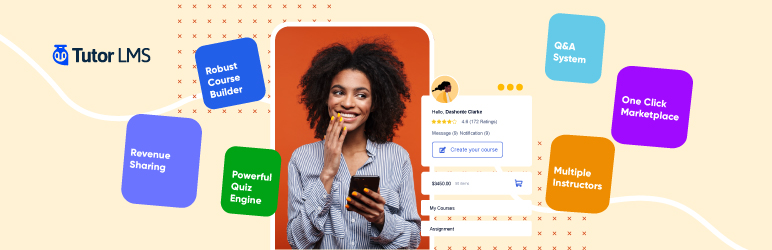
TutorLMS approaches the problem from a different angle. Instead of asking “what do enterprise training departments need?”, they asked “what would make course creation actually enjoyable?”
The frontend course builder is the clearest example. With LearnDash, you’re working in the WordPress admin—which is fine if you live in WordPress anyway, but can feel clunky and intimidating if you don’t. TutorLMS lets instructors create and manage courses from the frontend of the site, using an interface that feels more like a modern web app than traditional WordPress. If you’re planning to have guest instructors or team members who aren’t technically minded, this difference alone might justify the choice.
Multi-instructor marketplaces are where TutorLMS really shines. Want to build something like Udemy, where multiple instructors can sell courses on your platform? TutorLMS handles instructor registration, course approval workflows, commission splits, and instructor-specific dashboards right out of the box. LearnDash can do multi-instructor setups, but you’ll need additional plugins and more configuration. It’s the difference between a feature that was designed in from the start versus one that was bolted on later.
The quiz builder in TutorLMS also includes some question types that LearnDash doesn’t offer natively—image matching, ordering, and image-based answers. For certain types of courses (language learning, design, anything visual), these can be genuinely useful rather than just nice-to-have.
And there’s the free version. TutorLMS offers a genuinely functional free tier on WordPress.org. You can build a basic course, test the interface, and even sell through WooCommerce before spending a dollar. LearnDash requires the $199 commitment upfront. If you’re not sure whether course creation is right for your business, the ability to experiment without financial commitment is worth something.
The Honest Downsides
Neither plugin is perfect, and you should know what you’re getting into.
LearnDash has a legitimate learning curve. The way courses, lessons, topics, and quizzes nest together isn’t immediately intuitive. Expect to spend a few hours with the documentation before things click. The interface is functional rather than beautiful—you’re working in WordPress admin screens that prioritize power over polish. And without a free version, you’re committing money before you’ve confirmed it fits your workflow.
TutorLMS has the opposite problem. The ecosystem is younger, which means fewer third-party add-ons and less community knowledge to draw from when you hit edge cases. Some features that feel like they should be standard (like flexible drip content scheduling) require the Pro version. And when you search for help, you’ll find years of LearnDash tutorials and forum threads compared to TutorLMS’s smaller knowledge base. The plugin is catching up fast, but it’s not there yet.
Making the Decision
Forget the feature comparison charts for a moment. Think about your actual situation.
Are you building a serious training operation that needs detailed reporting and compliance documentation? Are you planning to integrate with corporate systems? Do you want the security of knowing your LMS has been battle-tested at scale? Go with LearnDash.
Are you building a multi-instructor marketplace? Do you have team members who’ll need to manage courses without becoming WordPress experts? Do you value a modern, pleasant interface over maximum configurability? Go with TutorLMS.
Are you a solo course creator building your first product? Honestly, either one will work. TutorLMS is easier to get started with. LearnDash gives you more room to grow into advanced features later. Flip a coin—you won’t be making a mistake either way.
The most important thing isn’t which LMS you choose. It’s whether you actually build the course and get it in front of students. Both of these plugins can support a successful course business. Pick one, learn it, and start creating.
Need Help With the Technical Side?
Setting up an LMS is just one piece of the puzzle. There’s hosting to consider (course sites need more resources than typical blogs), payment gateway integration, email automation for student onboarding, and design work to make everything feel professional. If you’d rather focus on creating great course content while someone else handles the technical infrastructure, that’s exactly what we do.